- Adding The Logo & Favicons
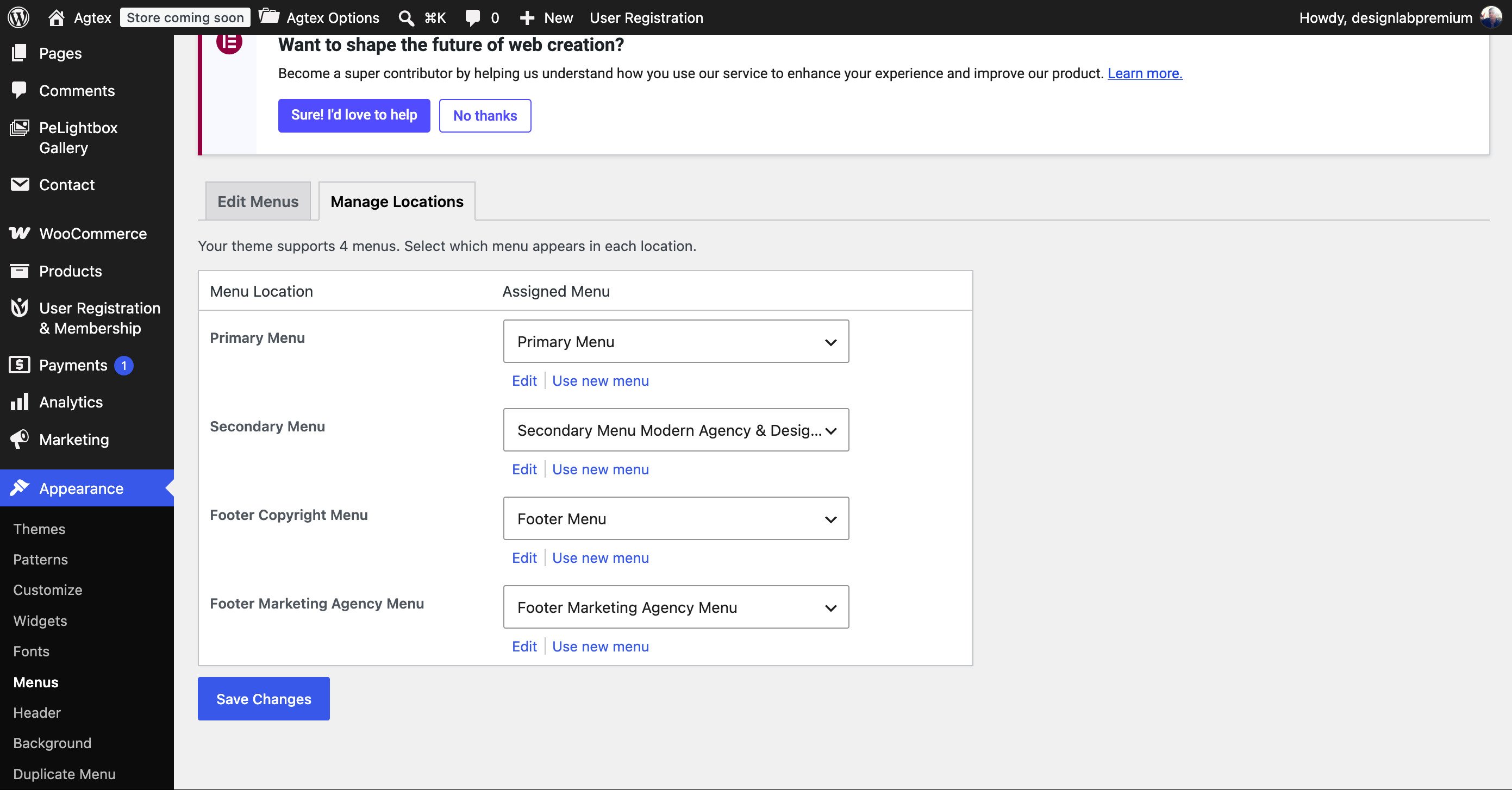
- Setting Up The Menu
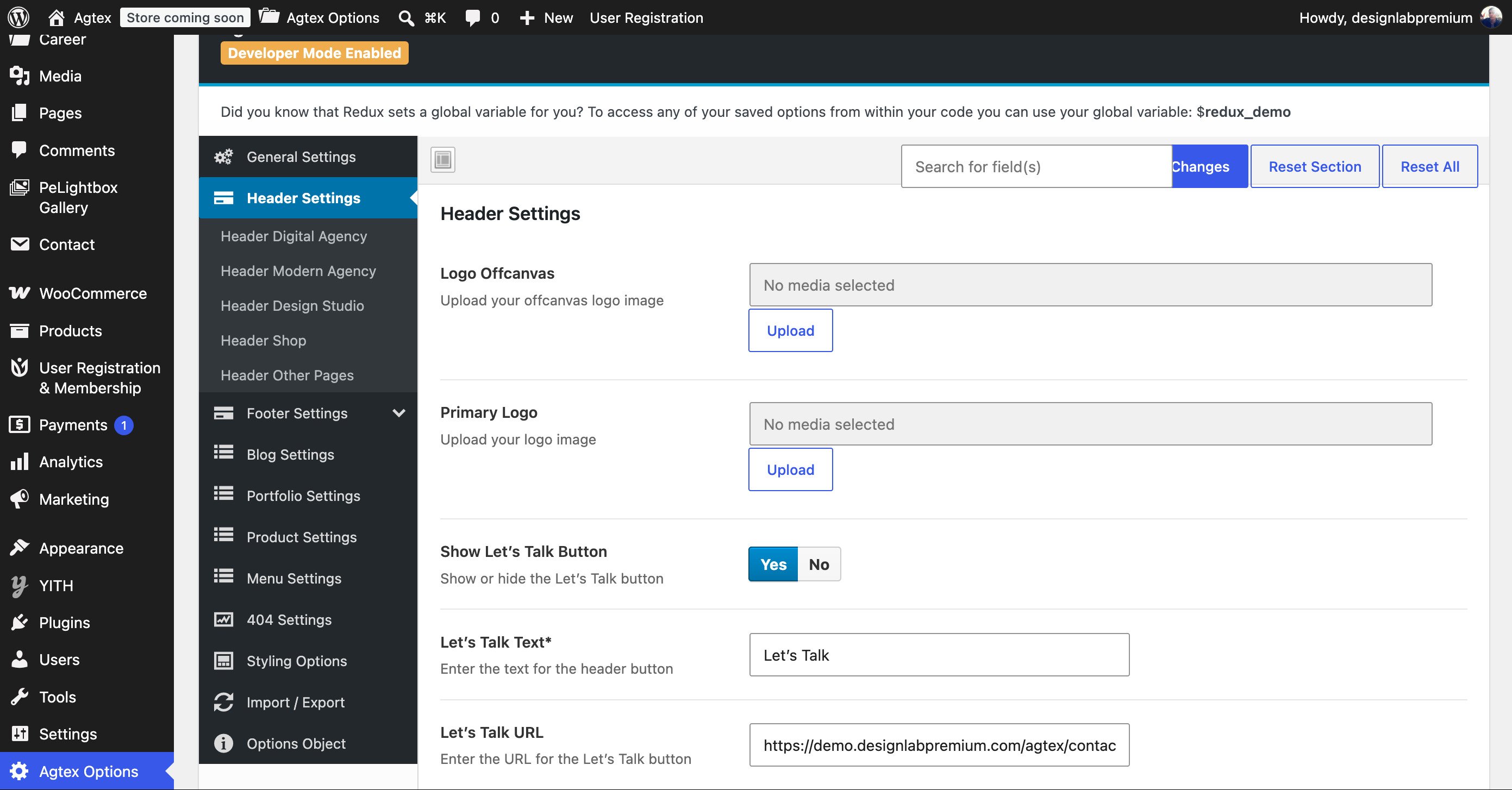
Adding The Favicons, Preloader & Logo
To Insert Your Logo and Your Favicon, Follow The Steps Below.
Step 1: More requires that you upload your Favicon as an image file (Favicon.ico).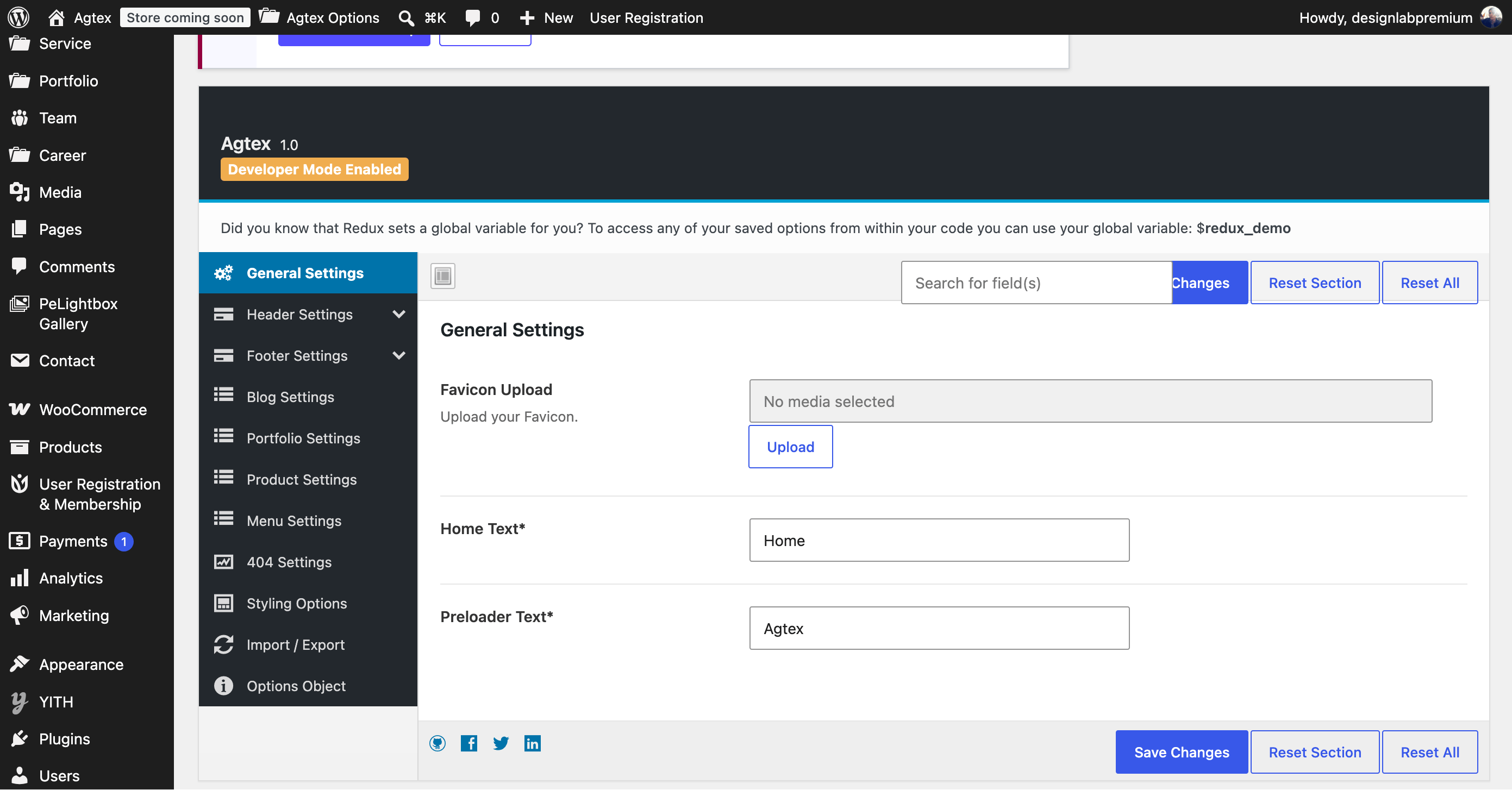
Setting Up The Menu
More supports custom WordPress menus, with multiple levels of dropdown support for the main menu. There are two areas of the theme where you can assign a menu: the primary menu and header link (header 3). Each of these menu locations can have a custom menu assigned. Once a menu is created and assigned to the location, it will show up on the site. There are also several theme options to customize the menu. Please see below for the menu locations, how to create a new menu and the menu theme options.More Offers Menu Locations
- Primary Menu – this is the menu display in Header.
- Header Link – this is the menu link display in Header 3.